What Saymila fixes
- Spelling, capitals and punctuation.
- Hesitations and repetitions, which disappear.
- Sentences you restart halfway: only the right version stays.
The meaning and the tone of your message do not change.
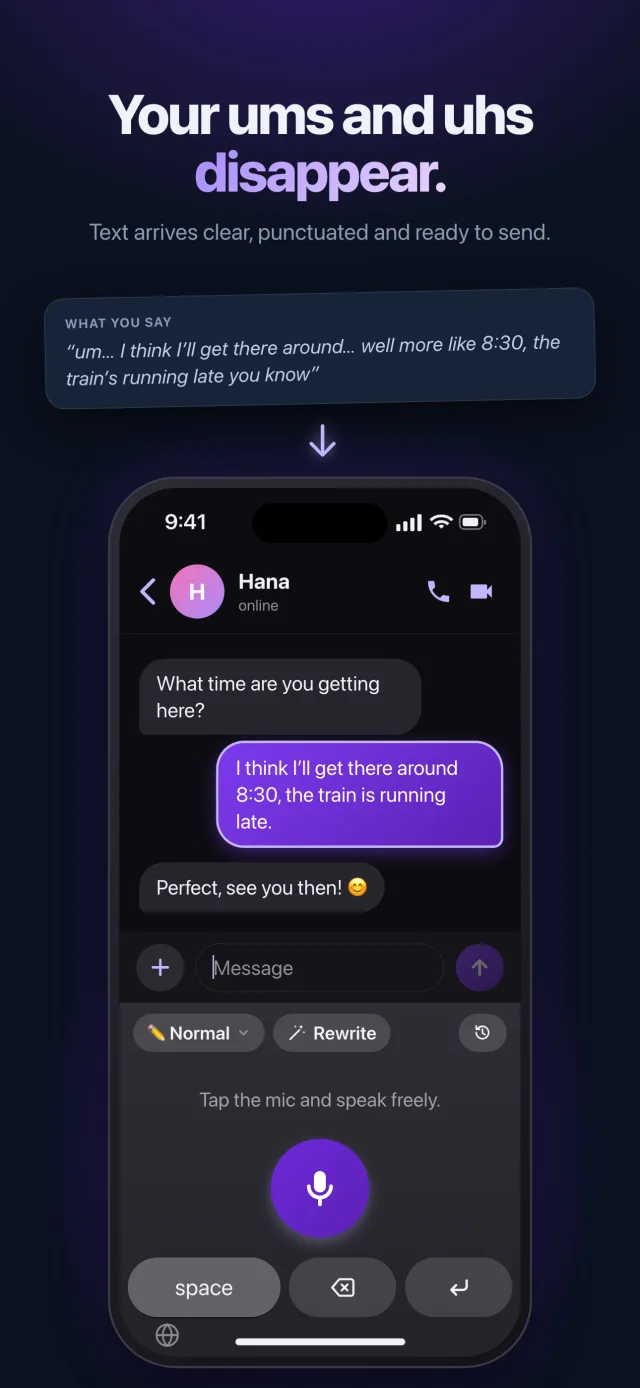
An example
“hello mrs johnson um I’m writing to tell you that my son will be away tomorrow, no wait, Thursday, he has a dentist appointment”
Hello Mrs. Johnson, I am writing to tell you that my son will be away on Thursday: he has a dentist appointment.
Fixing text you already typed
Typed too fast? On your phone, the keyboard’s “Rewrite” button cleans up the text in the field. On a Mac, select some text, right-click › Services: Saymila corrects it, in any app.
The names dictation gets wrong
An unusual first name, a family name, a brand: add them to “My Words”, and Saymila spells them right.
What Saymila does not do
Saymila does not explain your mistakes or underline anything: it gives you clean text back. For an important document, proofreading is still worth it. And if you want to keep your exact words, the Verbatim style stays as close as possible to what you said.
Frequently asked questions
Does Saymila correct text I typed on the keyboard?
Yes: with the “Rewrite” button on your phone, and with right-click › Services on a Mac.
Is it a spell checker?
Not quite: a spell checker flags mistakes one by one. Saymila rewrites the text cleanly, in one go.
In which languages?
Many, including English, French, Spanish, German, Italian and Portuguese.