Why dictation can help
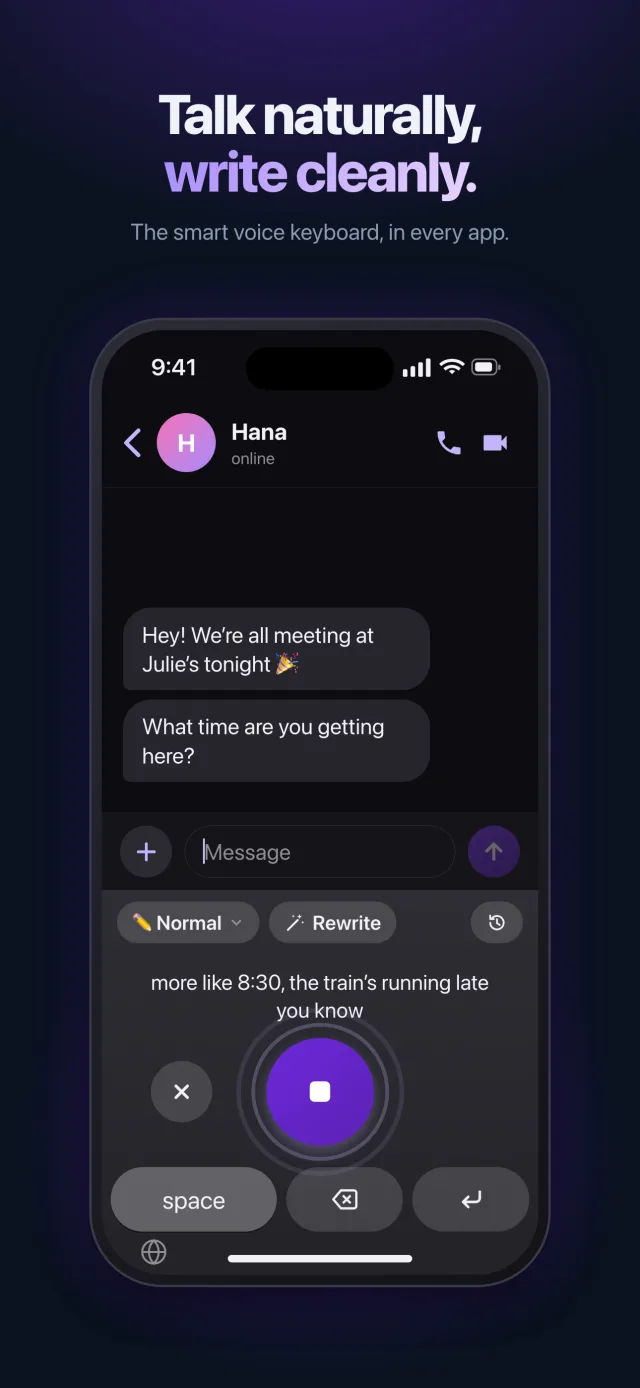
With dyslexia or spelling difficulties, much of the effort goes into spelling rather than ideas. When you dictate, you focus on what you want to say: Saymila takes care of writing it.
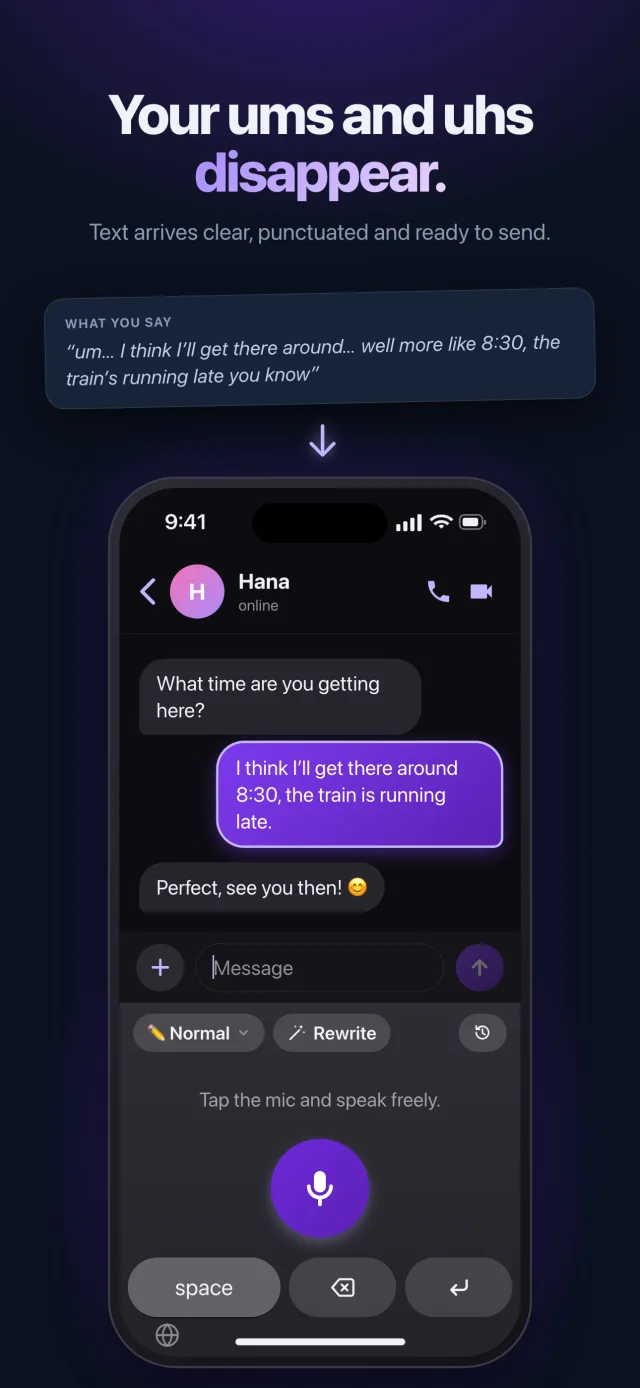
- Talk at your own pace, with your hesitations and restarts.
- The text arrives with spelling, punctuation and capitals fixed.
- The meaning and the tone of your message are kept.
Already typed it? One button fixes it
If you would rather type, the keyboard’s “Rewrite” button cleans up the text in the field. On a Mac, it is a right-click › Services on the selected text.
The words that always cause trouble
First names, family names and unusual words can be added to “My Words”: Saymila will always spell them the right way.
Wherever you write
On iPhone and Android, Saymila is a keyboard that opens in all your apps. On a Mac and on Windows, hold a key and talk: the text is typed wherever your cursor is, in an email or in homework.
What Saymila is not
Saymila is neither a medical device nor a therapy tool, and it does not replace the support of a speech and language therapist. It is an everyday writing tool, made for everyone.
At school or for an exam, using a dictation tool depends on the accommodations you were granted: ask your school.
Frequently asked questions
Is Saymila designed specifically for dyslexia?
No: it is a dictation tool for everyone. But writing by talking, with corrected text at the end, helps many people who find writing tiring.
Is it free?
Yes, up to 1,000 words a week, with no ads. The Plus and Pro subscriptions give more.
Is my voice recorded?
No. Speech recognition happens on your device whenever it can, and the cleaned-up text is never stored on our server.