How to dictate in WhatsApp
- Install Saymila: the app walks you through turning on its keyboard.
- In a WhatsApp chat, tap the message field and switch to the Saymila keyboard.
- Tap the mic and talk as you would in a voice note, hesitations and all.
- The corrected text lands in the field: read it over, send it.
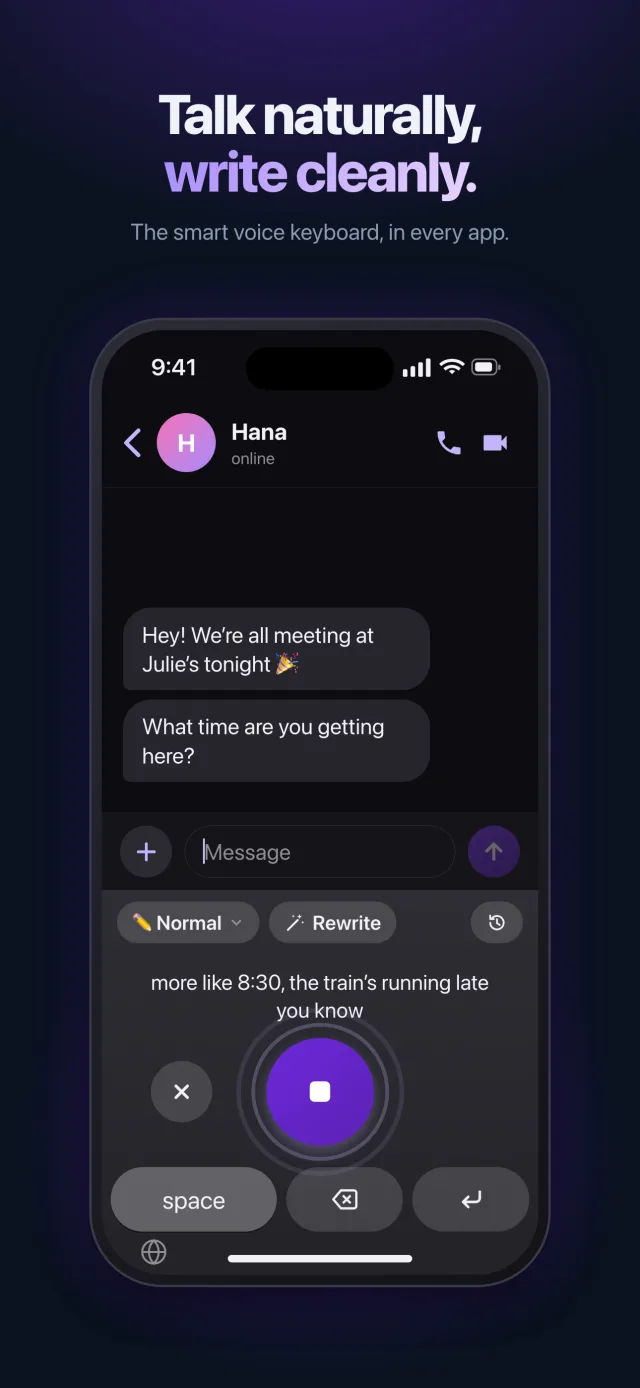
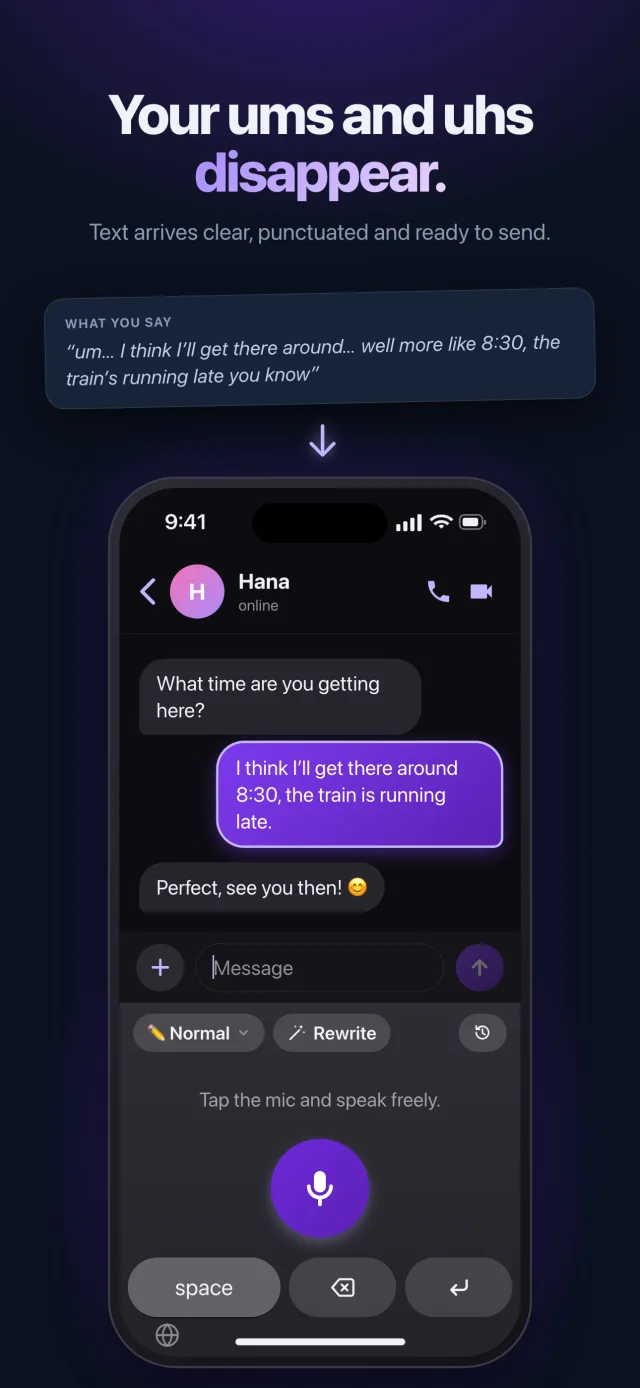
A two-minute voice note, in two lines
“yeah so about Saturday, um, so Julie’s getting there later, like around 8, so let’s push it, say 8:30? I mean if that works for you”
About Saturday: Julie is arriving later, so let’s push it to 8:30. Does that work for you?
The detours and hesitations disappear: what is left is what you meant.
Why text rather than a voice note
- It is read in seconds, even in a meeting or on the train.
- A time or an address can be found again without listening to it all.
- Everyone answers when they want, without looking for their earphones.
The tone that fits the conversation
Pick the style before you talk: SMS to be quick, Diplomatic for a delicate message to the building’s group chat, Fun for friends. And for a contact abroad, speak your own language and the message is sent translated.
Your privacy
Your voice is recognized on your phone whenever it can do it, and only the transcribed text is sent to be cleaned up: our server never stores it. The keyboard does not record what you type.
Frequently asked questions
Do I need a special version of WhatsApp?
No. Saymila is a keyboard: it works in WhatsApp just as in Messages and other chat apps, anywhere the keyboard shows up.
Does it work in WhatsApp on a computer?
Yes: on a Mac and on Windows, hold a key, talk, and the text is typed in the message field.
Can Saymila transcribe the voice notes I receive?
No. Saymila writes what you dictate: it does not read other people’s voice notes.